Outdoor yards and ports
In a yard or container terminal the steel moves every shift, the links are long, and the band rules change at the door, so an indoor Wi-Fi design does not carry over.

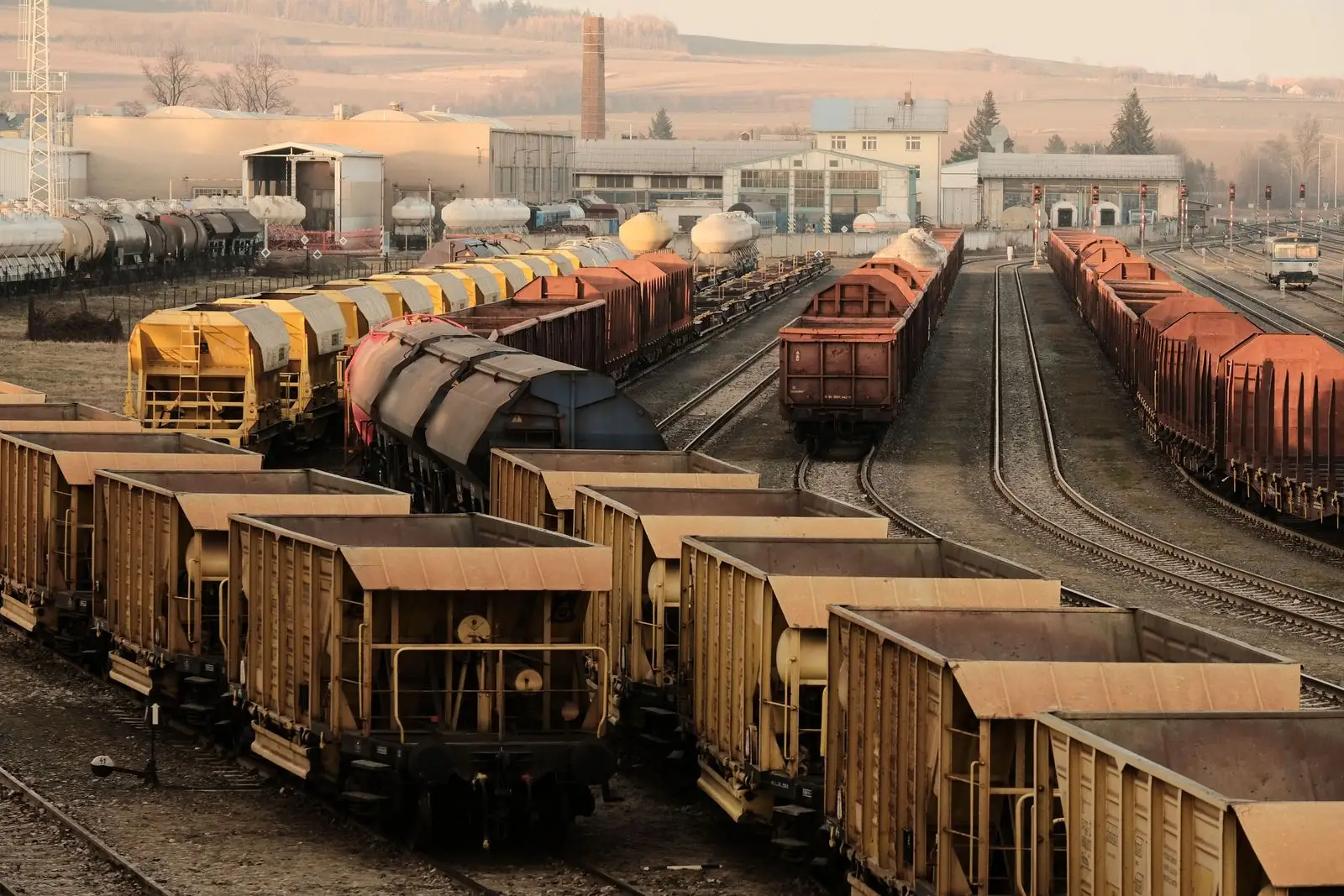
Outdoors, the biggest obstacles are the ones you are paid to move. Container stacks rise and fall, cranes travel, and railcars come and go, so the radio path changes with every shift.
The rules change at the door too. Some band options you rely on indoors are not legal outside, and some are not legal on a vehicle.
What runs there
Automated and remote cargo handling. A US Government Accountability Office (GAO) review found that all of the 10 largest US container ports have adopted some automation, and terminals at four use automated cargo handling equipment1. Automated gantry cranes stack or move containers under software control or a worker in a remote location. Remotely operated cranes use cameras and sensors to move containers on and off ships, trucks and trains, and within the stacks.
Video and control on the same machine. One cellular equipment vendor’s analysis of port use cases puts a remote-controlled ship-to-shore crane at up to 20 cameras and about 200 Mbps of video, with under 600 kbps of control data and 15 to 25 ms of one-way latency2. Its automated guided vehicles carry one or two cameras and exchange control data with a remote hub over automation protocols such as PROFINET. Those are a vendor’s planning figures, written to argue for 5G. Read them as the shape of the load: heavy uplink video and light, time-critical control on one machine.
Rail yards. The Federal Railroad Administration (FRA) describes a remote control locomotive as one that a person outside the cab operates through a radio transmitter and receiver system. That link carries its own loss-of-signal timer, covered below.
Stacks of steel. Yard containers are often stacked four to six units high in irregular formations. A study of one terminal found the steel boxes cause very strong multipath, and that rearranging stacks of different heights changes path loss over time. The same study lists Wi-Fi among the radio systems ports use for container monitoring, beside cellular, TETRA, ZigBee and RFID.
What it needs from the network
Control inside the timeout, everywhere on the route. The requirement is the one you know from indoors: the longest gap a machine sees anywhere on its route has to stay inside the shortest timeout riding on it. Outdoors the route is longer, and the steel around it moves.
Field note. Required roam time depends on what is connected and whether safety runs over wireless, such as CIP Safety. Safety over wireless needs very low roam times to avoid safety timeouts.
Loss-of-signal behavior you do not set. FRA’s 2001 safety advisory on remote control locomotives recommends that when the operator’s signal is interrupted for a set period, not to exceed five seconds, the system apply the brakes and remove tractive effort. Whatever radio carries a link like that, its timer is the machine’s decision, not the network’s. The network decides how often the timer fires.
Uplink capacity. The vendor counts about 10 ship-to-shore cranes per kilometer of quay. At its 200 Mbps per crane, that is 2 Gbps of video per kilometer, all of it flowing up from moving machines.
How wireless fails there
Stacks that move. The terminal study took almost 5,000 path loss measurements3 and fitted separate models for antennas above and below the average stack height. In line of sight, loss grew 5.8 dB per decade of distance with the transmitting antenna above the stacks, and 25.9 dB per decade with it below. It covered 0.5 to 4 GHz and paths up to 400 m, below Wi-Fi’s 5 GHz and 6 GHz bands, so take the direction, not the values. A newer study adds time: loading, unloading and repositioning continuously alter the radio environment, which makes exhaustive drive testing impractical.
Reflections off rolling stock. When FRA had remote control locomotive radios tested for RF exposure, the test simulated rail yard conditions because reflections from metallic surfaces such as railcars can enhance the primary beam and create hotspots.
Weather, but mostly not rain. The strongest objection to outdoor Wi-Fi is the weather. Rain is a weaker threat than it sounds at these frequencies. ITU-R says rain attenuation can be ignored below about 5 GHz but must be included in design above it4. Run ITU-R’s rain model for a 50 mm/h downpour at 6 GHz and you get about 0.2 to 0.4 dB per kilometer5, a fraction of a dB over a yard-length link. Wet snow is the exception ITU-R names: at high latitudes it can cause significant attenuation over a wider range of frequencies.
Clearance over distance. Free-space conditions need at least 60% of the first Fresnel zone radius clear of obstacles. NIST gives the Fresnel formula and warns to keep obstructions out of the line-of-sight path. A stack that grows a tier can close a zone that was clear on survey day.
Radar on DFS channels. Outdoor access points on DFS channels follow the indoor rules: a 60 second check before using a channel, transmission stopped within 10 seconds of a detection, and at least 30 minutes off that channel6.
Design implications
Pick the band by the rules first. In 5 GHz, outdoor access points may run up to 1 W in 5.15 to 5.25 GHz, with EIRP above 30 degrees of elevation capped at 125 mW. Fixed point-to-point links may use high-gain antennas in 5.725 to 5.850 GHz without cutting conducted power; point-to-multipoint systems do not get that allowance. The 5.850 to 5.895 GHz segment is only for indoor access points and the clients they control.
In 6 GHz, check the device class. Low-power indoor access points and their clients are limited to indoor locations. Outdoors, standard power needs an automated frequency coordination (AFC) system, works only in 5.925 to 6.425 and 6.525 to 6.875 GHz, and caps EIRP above 30 degrees at 125 mW. Very low power and geofenced variable power devices may not be mounted on outdoor structures such as buildings or poles. Standard power and indoor access points are prohibited on vehicles, the rule’s examples being cars and trains. Mobile clients of a standard power access point are not on that list.
Treat AFC as a dependency. A standard power access point must contact its AFC system at least once a day, and one that cannot must stop transmitting at 11:59 p.m. the following day. Give that path the same redundancy as your control network.
Mount above the stacks you will build. The terminal study’s loss climbed sharply once the antenna sat below the average stack height. Mount for the tallest stack the yard plans, not the one there on survey day, and plan for path redundancy where RF conditions change.
Separate video from control. Mark control above video, and carry the two on separate radios where you can.
A second radio, beside Wi-Fi. Separation can be physical: control on one radio, everything else on Wi-Fi. In the US, one option for that second radio is the Citizens Broadband Radio Service (CBRS) at 3,550 to 3,700 MHz, coordinated by Spectrum Access Systems7. Its General Authorized Access tier must accept interference from all other users, including other GAA users, so a second radio is not automatically a clean one. Wi-Fi still carries the cameras, the handhelds and the bulk data, and it still has to be designed.
How to validate
Survey through the stack cycle. Measure with stacks low and at their planned maximum height, and again after every layout change.
Measure from the moving machine. Ride the vehicle routes, the crane travel and the locomotive moves with the production radio. Log every gap against the shortest timer on board: a safety connection, a PROFINET watchdog, or a five second loss-of-signal timer.
Load the uplink. Run every camera at production bitrate at once, and confirm control traffic still meets its timing.
Confirm every radio’s class and every alarm. Check each outdoor 6 GHz device’s certified class, and make sure an AFC failure reaches a person before the 11:59 p.m. cutoff.
Repeat in winter. If your yard sees wet snow, survey in it.
In a yard, the steel moves every shift. Design for the tallest stack and the longest gap, not for survey day.
About this page
Built from 10 sources: 3 standards bodies and labs, 4 regulators and government sources, 2 research papers and theses and 1 vendor document. Researched and drafted with AI assistance, then reviewed and approved by Ben Rutter on . How pages are made
- First published
- Last updated
Change history (1)
- First published
Cite this page
Plain
Ben Rutter. "Outdoor yards and ports." OT Wireless, published October 5, 2026. https://otwireless.com/environments/outdoor-yards-and-ports/
APA 7
Rutter, B. (2026, October 5). Outdoor yards and ports. OT Wireless. https://otwireless.com/environments/outdoor-yards-and-ports/
BibTeX
@misc{rutter2026outdooryardsandports,
  author = {Rutter, Ben},
  title = {{Outdoor yards and ports}},
  year = {2026},
  howpublished = {\url{https://otwireless.com/environments/outdoor-yards-and-ports/}},
  organization = {OT Wireless},
}